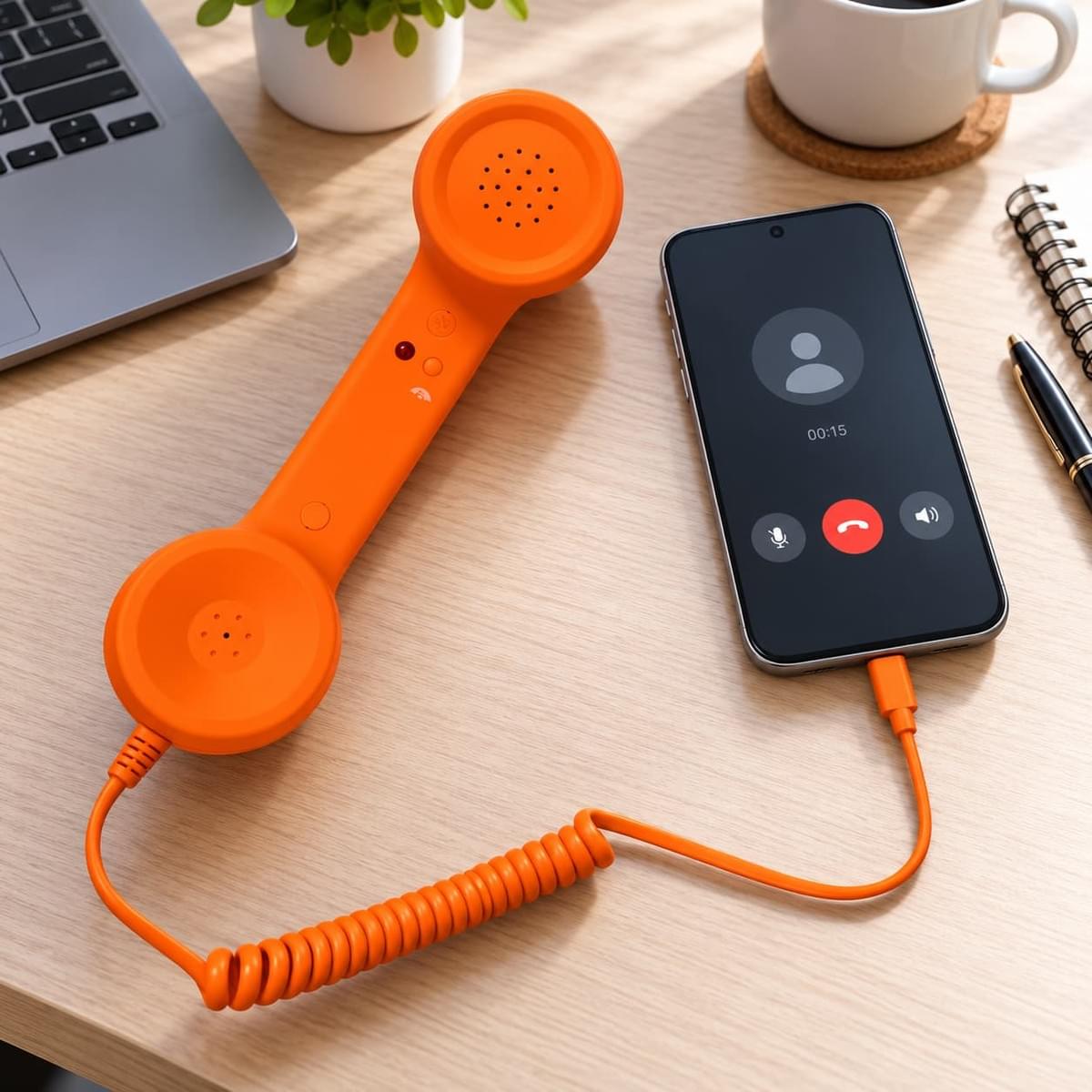
A retro phone handset combines the familiar physical form of a traditional telephone receiver with a connection designed for modern electronic devices.
For USB-C models, the idea looks simple: connect the handset to a compatible smartphone, tablet or computer and use it as a dedicated voice accessory.
However, there is an important technical point for both consumers and B2B buyers:
USB Type-C describes the connector, but the presence of a USB-C port alone does not guarantee universal audio compatibility.
The handset electronics, host device, operating system and supported audio implementation all need to work together.
This is why a professional buyer should evaluate more than the connector shape when sourcing a USB Type-C retro phone handset .
What Happens When You Connect a USB-C Retro Handset?
A USB-C handset creates a physical connection between the receiver and the host device.
The basic path is:
handset → cable → USB Type-C connector → compatible device
Once connected, the host device needs to recognize and support the handset's audio configuration.
Depending on the handset electronics and the host device, the audio path may be handled through a supported USB audio implementation or another compatible USB-C audio configuration.
The important point for buyers is that the connection is not determined by appearance alone.
Two devices may both have USB-C ports but behave differently with the same audio accessory.
USB-C Is a Connector, Not a Universal Compatibility Guarantee
USB Type-C has become common across smartphones, tablets, laptops and other electronic equipment, but the connector can support many different functions.
Depending on the device, a USB-C port may be used for:
- Charging
- Data transfer
- Display output
- Audio
- Accessory communication
This means a handset cannot be considered compatible simply because its plug physically fits into the device.
The host device must also support the required audio communication.
For B2B buyers, this distinction is extremely important because customers often interpret “USB-C compatible” as meaning “works with every USB-C device.”
That claim should not be made without testing.
How USB-C Retro Handsets Work with Smartphones
Smartphones are one of the most obvious applications for a USB-C retro handset.
When the handset is connected to a compatible smartphone, the phone may route supported voice audio through the external handset.
The user can then hold a traditional telephone-style receiver while the smartphone remains the host device running the call or voice application.
This creates a combination of:
- Modern smartphone functionality
- A physical telephone receiver
- A wired USB-C connection
- A more distinctive calling experience
Actual behavior can still vary by smartphone model, operating system and application.
For example, one phone may recognize the accessory immediately while another device may handle external audio differently.
This is why representative device testing should be completed before a retailer makes broad compatibility claims.
How USB-C Retro Handsets Work with Tablets
Tablets can also be relevant for wired handset applications, particularly when they are used for communication, customer service, voice applications or fixed desktop-style setups.
The basic connection principle is similar to a smartphone: the handset connects to the tablet through USB-C, while the tablet provides the software environment for communication.
However, tablet compatibility should also be evaluated model by model.
A USB-C port on a tablet may support a wide range of accessories, but the buyer still needs to confirm that the intended audio function operates correctly.
For commercial applications, it is especially useful to test the handset with the exact tablet model that will be deployed.
How USB-C Retro Handsets Work with Computers
Laptops and desktop computers create another useful application for wired retro handsets.
When a compatible USB-C handset is connected to a computer, the system may recognize it as an available audio input and output device.
Depending on the operating system and application, the user may then select the handset for voice communication.
Possible applications can include:
- Online calls
- Customer-service communication
- Voice software
- Desktop communication
- Compatible AI or voice-driven applications
In some setups, the user may also need to select the correct microphone and speaker device in the computer's sound settings or inside the communication application.
This makes computer compatibility relatively straightforward to test in a controlled B2B environment.
Why the Same Handset Can Behave Differently Across Devices
A common sourcing mistake is assuming that successful testing on one device proves compatibility with every device using the same connector.
It does not.
Compatibility can depend on several factors:
- Host-device hardware
- Operating system
- Audio implementation
- Software or communication application
- Device settings
- Handset electronics
For example, a handset may work correctly with a particular laptop but require further evaluation with a specific smartphone model.
This is also why buyers comparing USB-C with traditional wired interfaces should consider the intended device environment rather than selecting only by connector type.
Our guide to USB-C vs 3.5mm retro handsets explains this difference from a B2B sourcing perspective.
Wired USB-C vs Bluetooth for Modern Devices
USB-C is only one way to connect a modern retro handset.
Bluetooth models remove the direct audio cable connection between the handset and the host device, creating a different user experience.
A wired USB-C handset may be attractive when the buyer wants a clear physical connection without a separate wireless pairing process.
A Bluetooth handset may be more suitable when wireless freedom is a priority.
Neither approach is universally better.
The correct choice depends on the target device, user environment and customer expectations.
Buyers evaluating both formats can review our wired vs Bluetooth retro phone handset buyer's guide.
How B2B Buyers Should Test USB-C Handset Compatibility
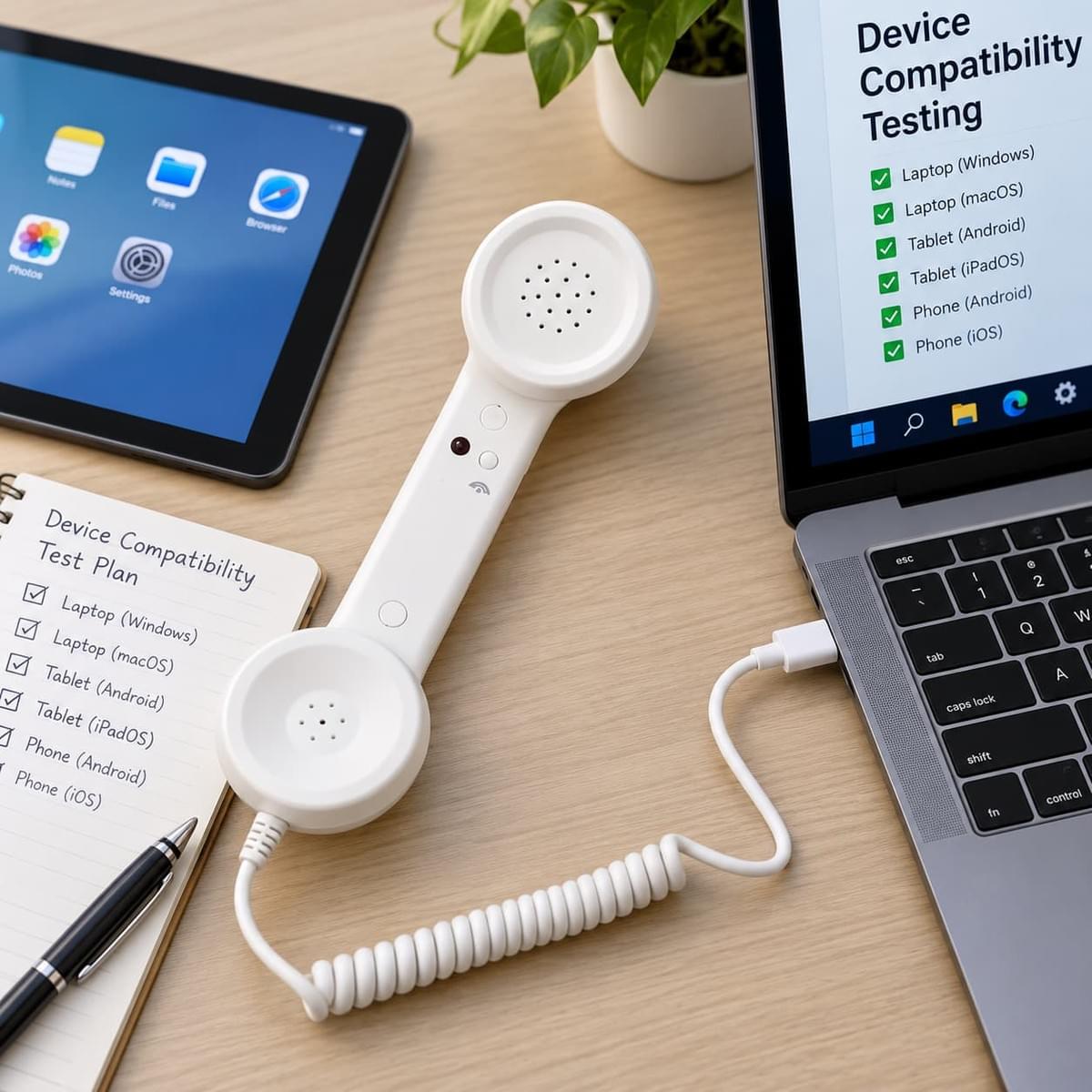
For wholesale, retail or private-label projects, compatibility testing should happen before mass production and before packaging claims are finalized.
A practical test should use representative devices from the intended market.
For example, if a product is expected to be sold primarily to smartphone users, testing only on a laptop is not enough.
Likewise, if the handset is intended for commercial computer workstations, the buyer should test the actual computer environment and communication software.
A useful B2B compatibility evaluation should check:
- Whether the host device recognizes the handset
- Whether incoming audio is routed correctly
- Whether the handset microphone functions correctly
- Whether call-control buttons behave as expected
- Whether volume functions operate correctly where applicable
- Whether reconnecting the handset is reliable
- Whether behavior remains consistent across representative devices
Testing several devices is far more useful than making a broad claim based only on the USB-C connector.
Compatibility Claims Should Be Specific
For B2B buyers, product descriptions should be accurate rather than overly broad.
Statements such as “works with all USB-C devices” should be avoided unless that claim has genuinely been validated.
A more responsible approach is to identify the intended device categories and confirm compatibility through actual testing.
This reduces customer confusion and can also reduce unnecessary after-sales issues.
For wholesalers preparing a first order, compatibility testing should be considered alongside MOQ, packaging and product selection. Our wholesale retro phone handset guide covers these broader sourcing considerations.
Model 569 USB Type-C Retro Phone Handset
For buyers looking for a wired USB-C solution, the 569 USB Type-C retro phone handset family provides an existing product platform for modern wired applications.
The 569 is available in multiple solid-color options, allowing B2B buyers to combine technical product selection with different retail or brand directions.
Depending on the project, buyers may evaluate the product for smartphone, tablet or computer applications through sample testing with their intended devices.
For brands requiring custom colors, packaging or other project development, OEM and ODM handset development can also be discussed based on quantity and requirements.
Why Sample Testing Matters Before Bulk Ordering
For a standard visual product, a sample mainly helps the buyer evaluate appearance and build quality.
For an electronic communication accessory, the sample has another important purpose:
compatibility validation.
A buyer should ideally test the sample with several representative devices before confirming the final bulk order.
This creates a clearer understanding of the actual use environment and allows compatibility information to be reflected more accurately in retail packaging, product listings and customer instructions.
Final Thoughts
USB Type-C makes it possible to connect a traditional telephone-style handset with modern smartphones, tablets and computers, but the connector itself is only one part of the system.
Real compatibility depends on the handset electronics, host device, operating system and intended application working together.
For B2B buyers, the safest sourcing approach is therefore:
select the intended device category → obtain samples → test representative devices → confirm compatibility → finalize packaging and bulk production.
This approach is more reliable than assuming that every device with a USB-C port will behave in the same way.
Contact NEW POWER TECH to discuss USB Type-C retro handset models, sample testing, wholesale requirements or customization for your market.
Frequently Asked Questions
Does a USB-C retro phone handset work with every USB-C smartphone?
No. A USB-C connector does not guarantee universal audio compatibility. The handset and smartphone must support a compatible audio implementation, so representative device testing is recommended.
Can a USB-C handset work with a tablet?
It may work with compatible USB-C tablets, but compatibility should be confirmed with the intended tablet model and application before bulk purchasing.
Can a USB-C retro handset be used with a laptop?
A compatible handset may be recognized by a computer as an audio input and output device. The user may need to select the handset in the operating system or communication application's audio settings.
Why can two USB-C devices behave differently with the same handset?
USB-C is a physical connector that can support different functions and implementations. Device hardware, operating systems, audio support and software can all affect accessory behavior.
Should wholesale buyers test samples before ordering?
Yes. Sample testing is strongly recommended when compatibility with specific smartphones, tablets or computers is important to the project.
Can the 569 USB Type-C handset be customized?
Customization options can be evaluated according to the project, quantity and required colors, branding, packaging or other specifications.