Retro phone handsets are usually associated with telephone calls, but the way people interact with computers is changing. Voice input is now used for calls, transcription, AI conversations, search, writing assistance and other desktop workflows.
This creates an emerging use case for the traditional handset form: using a wired handset as a dedicated audio input and output device connected to a modern computer, tablet or smartphone.
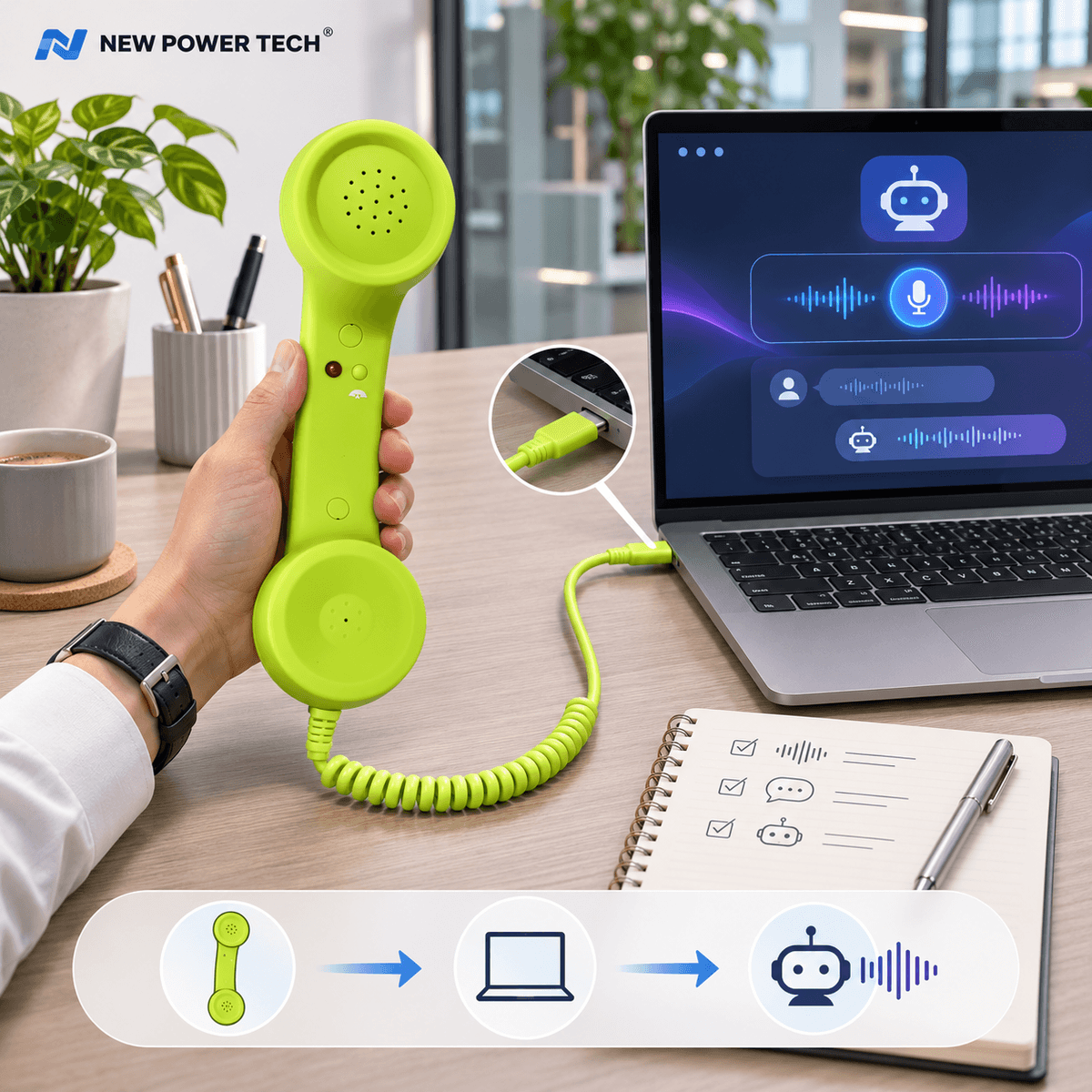
An AI phone handset does not need to contain artificial intelligence inside the handset itself. In a typical setup, the handset provides the microphone and speaker, while the connected computer or mobile device runs the AI software, voice-recognition system or communication application.
Why Use a Retro Handset for AI Voice?
Most computers already include microphones and speakers, so a handset is not technically required for voice interaction. Its value comes from offering a different physical interface for speaking and listening.
Instead of talking toward a laptop or using the computer's speakers, the user can pick up a familiar telephone-style receiver and communicate through a dedicated microphone and earpiece.
This can create a more defined interaction between the user and a voice-based application, particularly in workflows where voice communication happens repeatedly throughout the day.
A Physical Interface for Digital Voice
The handset provides a simple physical action: pick it up, speak, listen and place it back down. The software experience may be modern, but the interaction method is immediately familiar.
For businesses developing AI products, desktop accessories or communication tools, this combination of a familiar handset form with modern software creates an interesting product differentiation opportunity.
The Intelligence Stays in the Software
It is important to distinguish the handset from the AI system itself. A wired handset is primarily an audio interface. It sends microphone input to the connected device and receives audio output from that device.
The AI assistant, speech-to-text engine, meeting application or other software remains responsible for processing the user's voice and producing a response or action.
For USB-C projects, buyers can explore the 569 USB-C solid-color retro handset family as one example of a wired handset format designed for modern devices.
Where Can This Type of Workflow Be Used?
The opportunity is broader than simply making phone calls. Once the handset is recognized by the connected device as an audio input and output accessory, it can potentially be used with different software workflows that rely on microphone and speaker functions.
Common examples include:
- AI voice conversations
- voice input and dictation
- desktop calling applications
- online meetings and conference calls
- speech-to-text workflows
- customer communication tools
The exact experience depends on the connected device, operating system and software being used, so compatibility should always be tested for the intended application.
AI Voice as Part of a Desktop Workflow
Voice interaction becomes more useful when it is treated as part of a wider desktop workflow rather than as a separate technology.
A user may be working on a computer, reviewing documents, writing content or managing software while using voice to communicate with an AI assistant. In this situation, the handset becomes one possible physical interface between the user and the software.
Voice Input and AI Conversations
When a compatible handset microphone is recognized by the computer, voice can be captured by applications that support microphone input. Depending on the software, this may include AI assistants, transcription tools, communication platforms or other voice-enabled applications.
The user speaks through the handset microphone, the computer processes the audio, and the resulting response can be played back through the handset receiver when the software and audio settings support that configuration.
This creates a telephone-style interaction without requiring the AI system itself to operate like a traditional telephone network.
Voice-to-Text and Desktop Commands
Another potential workflow is voice-to-text. A user can speak through a connected handset while compatible software converts speech into text.
More advanced workflows may combine voice recognition with software shortcuts, automation tools or custom bridge programs. In those cases, spoken input can become part of a larger command workflow, but the exact capability depends on the software configuration rather than the handset alone.
A Different Option for Shared Workspaces
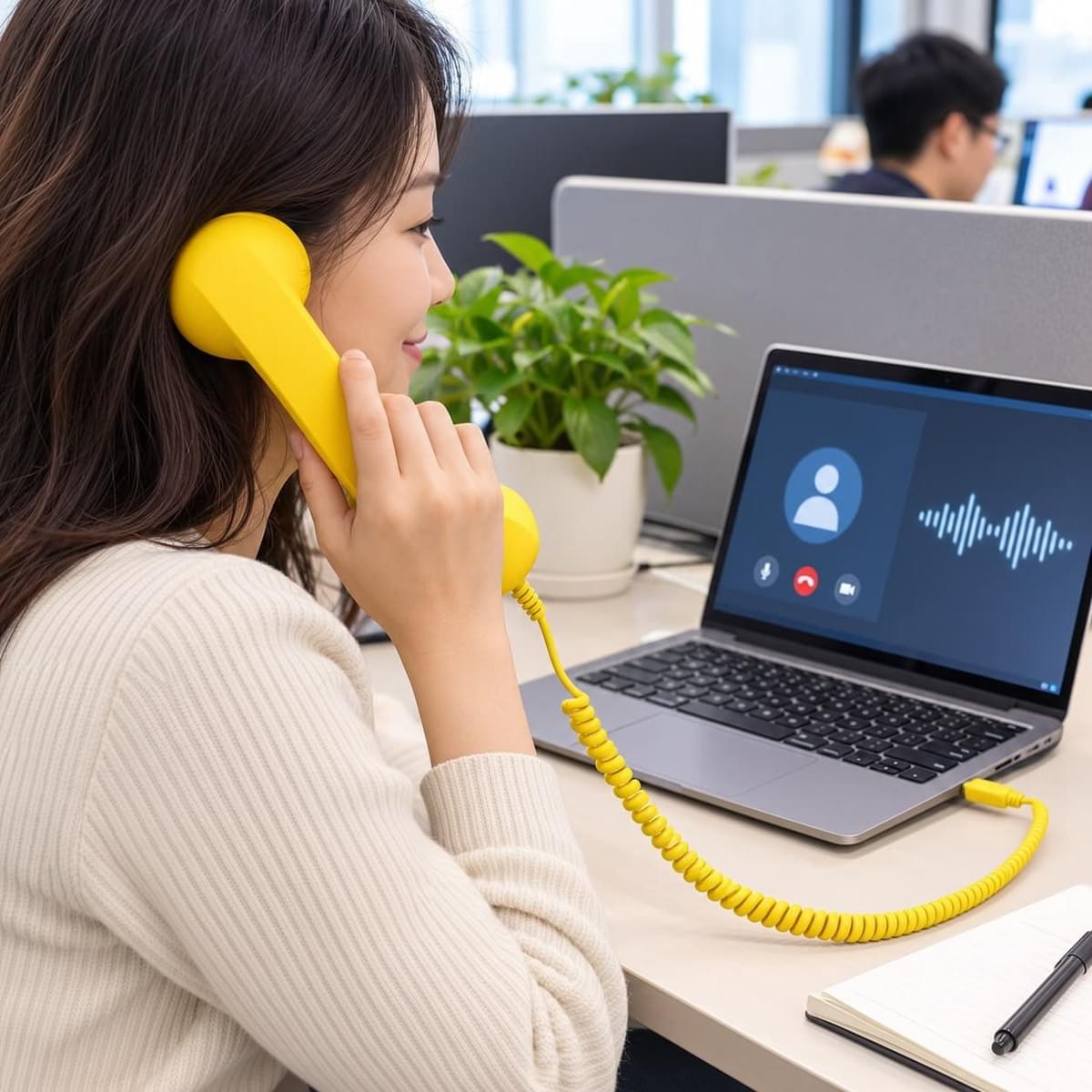
Shared offices create another practical use case. Computer speakers send sound into the surrounding workspace, while a handset places the receiver directly at the user's ear.
This does not make the conversation automatically private, but it changes how audio is delivered compared with playing the same audio through external computer speakers.
The microphone is also positioned close to the user's mouth during normal handset use, creating a familiar communication posture for calls, meetings and voice interaction.
Calls and Online Meetings
A retro handset can also serve more conventional desktop communication needs. Depending on device and software compatibility, it may be used for voice calls, conferencing applications and other communication platforms that support external audio devices.
For buyers evaluating USB-C models, our guide to USB-C retro handsets with smartphones, tablets and computers explains why physical connector type alone does not guarantee compatibility with every device.
Compatibility Still Needs to Be Tested
USB-C is a physical connector standard used across many modern devices, but devices can handle audio accessories differently. Operating systems, hardware configurations and software settings may all influence whether a connected handset is recognized correctly.
For B2B projects, the safest approach is to define the intended device and software environment first, then test samples before confirming larger production quantities.
What B2B Buyers Should Evaluate
For buyers considering an AI voice or desktop application, the handset should be evaluated as part of the complete user experience rather than as an isolated accessory.
Important questions include:
- Which computers, tablets or smartphones will be used?
- Which operating systems and applications are involved?
- Is microphone input required, audio output required, or both?
- Will the handset be used mainly for AI voice, calls, meetings or multiple workflows?
- What cable length and connector configuration fit the intended workspace?
- Are custom colors, branding or packaging required?
Answering these questions early makes sample testing and product selection more efficient.
Why This Is an Interesting Product Opportunity
AI software is changing quickly, but many of the devices used to interact with software remain familiar: keyboards, mice, microphones, headsets and speakers.
A retro handset offers another form factor. Its value is not that it replaces these devices in every situation, but that it creates a distinctive physical interaction for products and services built around voice.
For brands, distributors and product developers, that can create opportunities in areas such as AI accessories, desktop communication products, branded office accessories and custom voice-interface projects.
Product Design Can Support the Use Case
The handset format can also be adapted to different commercial requirements through color selection, logo application, packaging and other OEM or ODM options.
This allows buyers to treat the handset not simply as a generic telephone accessory, but as one component of a larger branded product experience.
From Traditional Calls to Modern Voice Workflows
The retro phone handset has existed for decades, but its physical form can still fit modern digital environments. Today, the same basic microphone-and-receiver concept can connect with computers and voice-enabled software in ways that were not part of its original use.
The result is a simple combination: a familiar physical handset on one side and modern software on the other.
For B2B buyers, the opportunity is therefore not to claim that the handset itself is an AI product. The opportunity is to use a recognizable communication device as a practical and visually distinctive interface for AI voice, desktop calls and other voice-based workflows.
For custom projects, buyers can explore NEW POWER TECH's OEM and ODM retro phone handset solutions for product configuration, colors, branding and development requirements.
NEW POWER TECH — Retro Phone Handsets, Direct from the Manufacturer. Wholesale • OEM • ODM.